The Association of the Covenant People
Weekly Zoom Prayer Meetings
Would you like to meet with other people who believe the Israel Truth teachings? We are expanding our internet meetings where we discuss scripture and world events.
Click Here to Join Our Weekly Zoom Meeting Every Wednesday Evening at 7:00 PM PST
Don’t have a computer?
Email us at [email protected] or call (PHONE NUMBER HERE IF YOU WANT) and we can connect with your telephone.
Need to install Zoom first?
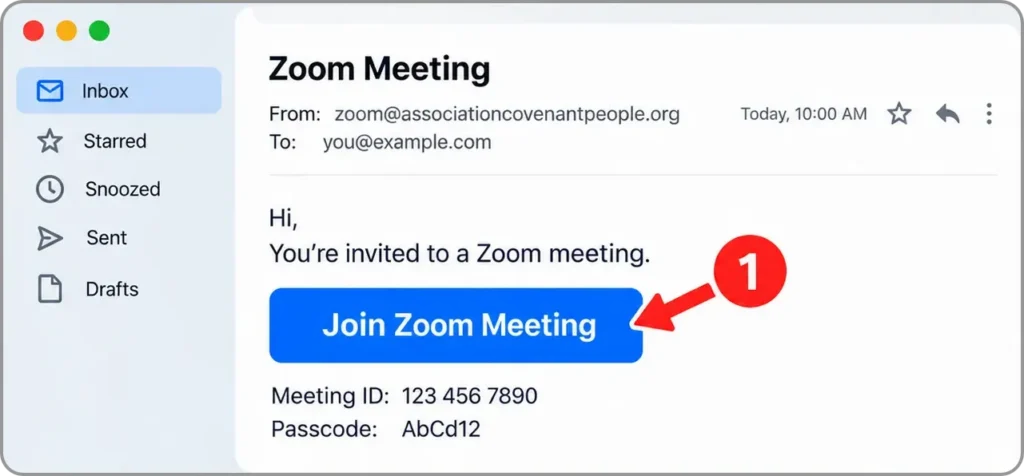
Step 1 — Open the Zoom Meeting Link
- Find the Zoom invitation email.
- Click Join Zoom Meeting.
- Your web browser will open automatically.
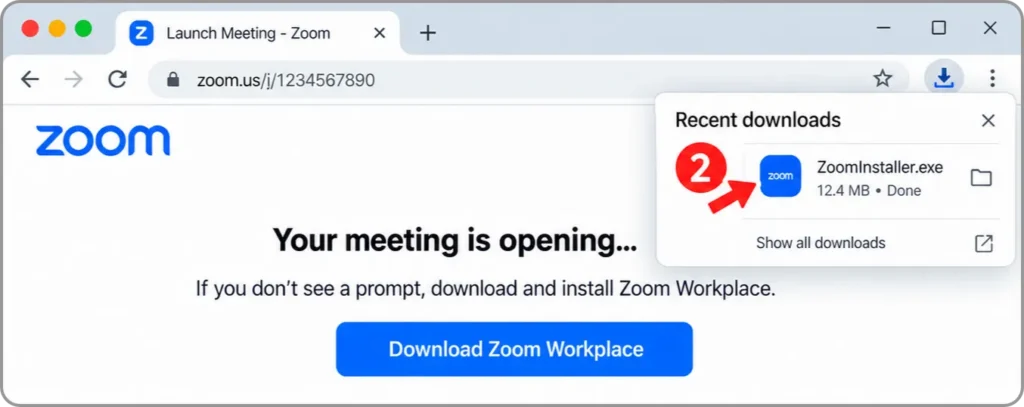
Step 2 — Download and Install Zoom
- Click Download Zoom Workplace if Zoom is not already installed.
- Open the downloaded ZoomInstaller file.
- Follow the prompts to install Zoom.
- Zoom should open automatically when installation is complete.
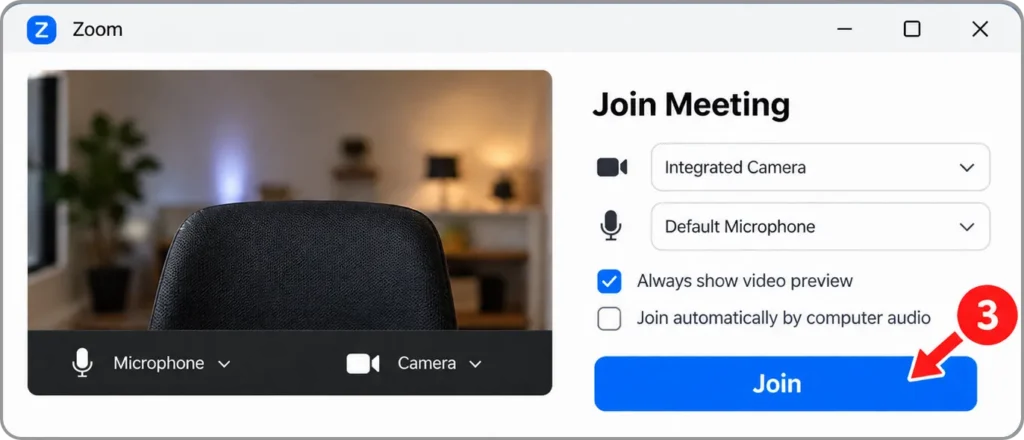
Step 3 — Join the Meeting
- Check that your camera and microphone are working.
- Click Join.
- Wait for the meeting host to let you in.
Tip: If your computer asks for permission to use your camera or microphone, click Allow.